Dongar
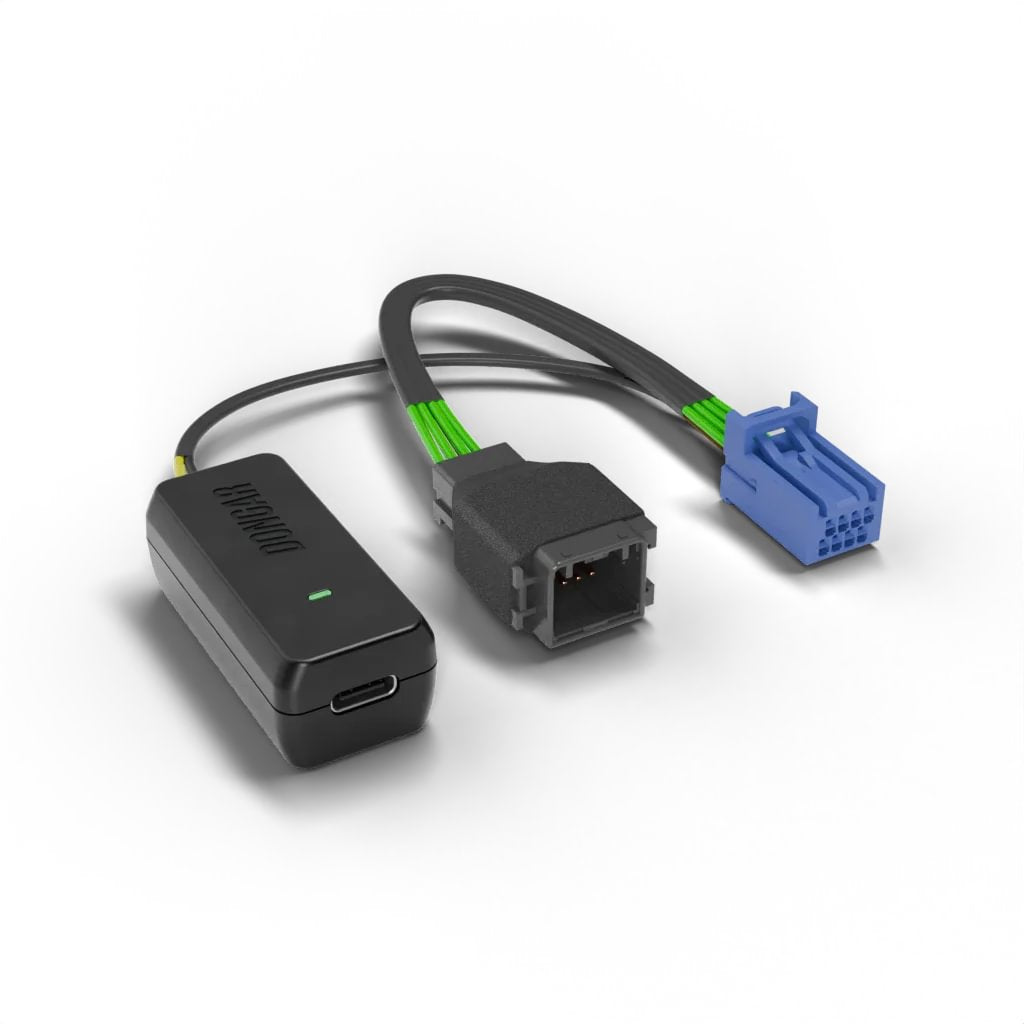
DCA-8A
(8-Pin Type A)
Dash Cam Power Adapter
Please note that an auto-dimming rearview mirror MAY be required to power this adapter. Remember to check vehicle compatibility.
SAFER DRIVING CONDITIONS: Unlike traditional dash cam setups, which leave wires hanging across your windshield or require lengthy and complex installations, Dongar adapters enable you to effortlessly convert your car's rearview mirror into a power source for your dash cam, radar detector, or any other USB-powered device.
NO MORE HARDWIRING: Simply unplug the power source from your rearview mirror and replace it with the adapter to power both your mirror and your camera–no hardwire or complicated install necessary.
*May be compatible with other vehicles. Review our adapter guide before purchasing.
📋 Product Specifications
PART NUMBER:
850061365071
INPUT/OUTPUT:
INPUT: DC 12-24V / ⎓2A Max
MAX OUTPUT POWER: 18W
OUTPUT: 5V⎓3A, 9V⎓2A, 12V⎓1.5A Max
AUTO-DIMMING REQUIREMENT?:
Yes
INCLUDES:
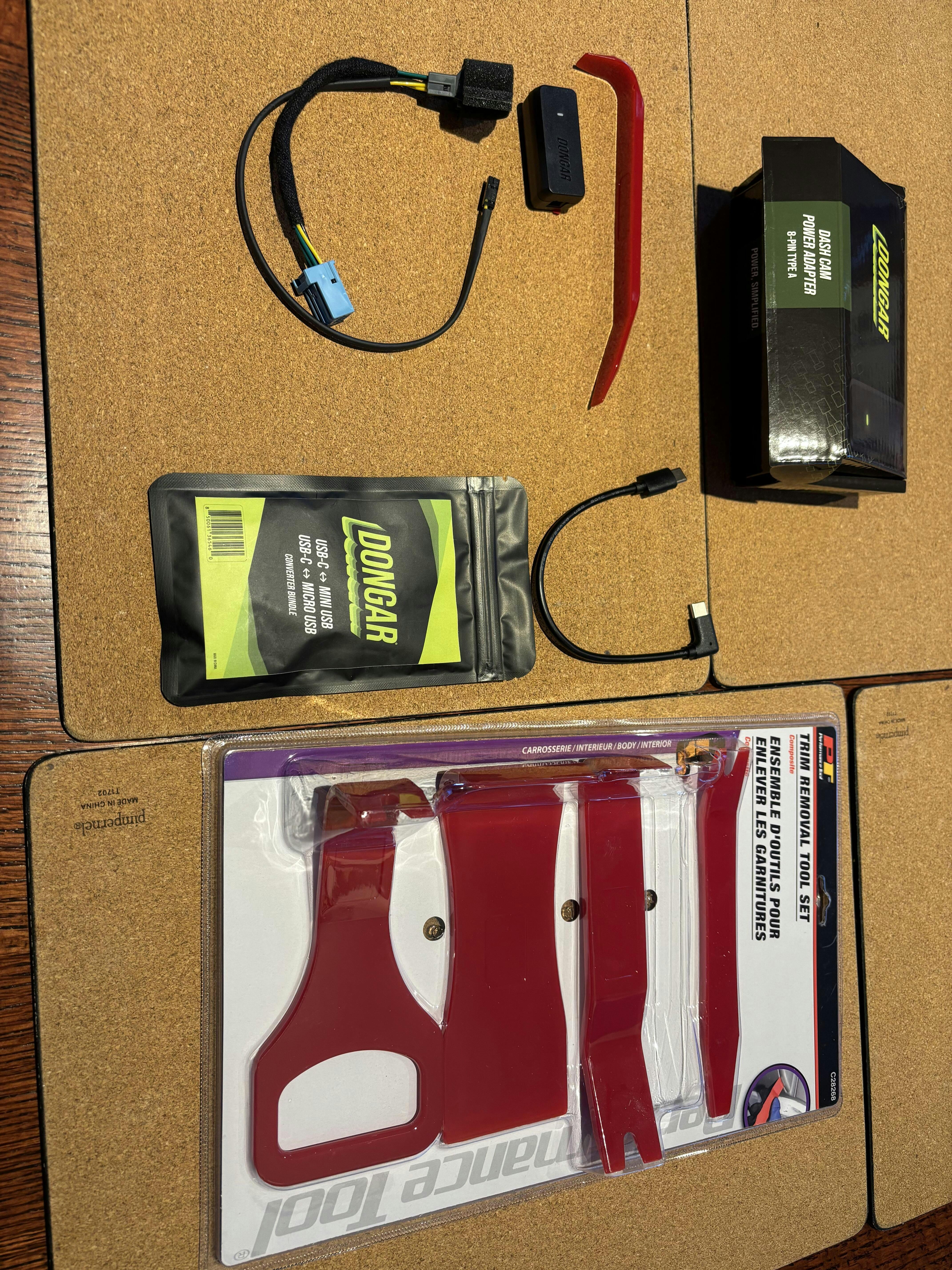
- Dongar DCA-8A Dash Cam Power Adapter
- One (1) shorty USB cable (USB-C)
- Pry Tool for easy installation
DISCLAIMER:
Dongar products include a one year limited warranty and are guaranteed to be free from defects in materials and workmanship. This warranty does not cover alterations, misuse, incorrect installation, or pre-existing vehicle conditions. For additional information, Click Here.
Couldn't load pickup availability
Share

8-Pin Type A Compatibility Chart
Before reviewing this chart, please note:
- Your vehicle must be equipped with a factory-installed auto-dimming mirror for the adapter to transmit power to your device.
- Digital mirrors are not compatible.
- Compatibility can vary by region, trim, and year. We always recommend reviewing our adapter guide before purchasing.
- INTERNATIONAL CUSTOMERS: Compatibility may vary based on country. Check your vehicle for the correct connector before purchasing. Learn more.
| Make | Model | Trims | Years |
| Acura | Integra | A-Spec | 2023-2025 |
| Base | 2023-2025 | ||
| Select Trims (check rearview mirror) | 2023 | ||
| Type S | 2024-2025 | ||
| MDX | Base | 2022-2026 | |
| SH-AWD | 2022-2026 | ||
| Type S | 2022-2026 | ||
| Honda | Accord | EX-L | 2024 |
| EX-L | 2023 | ||
| EX-L Hybrid | 2025 | ||
| Hybrid | 2023 | ||
| Sport-L Hybrid | 2023 | ||
| Touring | 2024 | ||
| Touring Hybrid | 2025 | ||
| CRV | e:FCEV | 2025 | |
| EX-L | 2024-2026 | ||
| CRV Hybrid | Sport Touring | 2024-2026 | |
| Sport-L | 2024-2026 | ||
| Odyssey | Elite | 2023-2026 | |
| EX-L | 2023-2026 | ||
| Sport | 2024-2025 | ||
| Sport-L | 2026 | ||
| Touring | 2023-2026 |
This chart serves as a sampling of compatible vehicles. If you do not see your car listed, it may still be compatible. Review our help hub to learn more.
Quick, clean installation
-
Check out this video to see our adapter in action!
-
How-to hub
-
Get help with installation.
View Installation Examples -
Confirm your vehicle’s connector type.
Check Adapter Guide
Customers also bought:
-
MicroSD™ Class 10 Card (128, 256, or 512 GB)
Regular price From €14,95 EURRegular priceUnit price / perSale price From €14,95 EUR -
Mini Microfiber Lens Cleaning Cloth
Regular price €0,95 EURRegular priceUnit price / perSale price €0,95 EUR -
Digital Tire Pressure Gauge
Regular price €8,95 EURRegular priceUnit price / perSale price €8,95 EUR -
Microfiber All-Purpose Cleaning Cloth
Regular price €2,95 EURRegular priceUnit price / perSale price €2,95 EUR
I recently upgraded our 2018 Honda CRV to a 2026. Both were Touring models with an auto dimming rearview mirror. I used Dongar’s 7 PIN Adaptor for the 2018 and recently purchased the 8 PIN adapter for the 2026 and my Garmin 57 Dash Cam.
The install went very well - maybe 1 hour to complete (went very slowly not to break anything) and my Dash Cam is back up and running. My only criticism on my purchase experience (and it is not a fault of Dongar) is that the shipping was over 3 weeks to Canada. It was a long wait and I had to email Dongar to see when the adapter would be delivered.
If you are interested I outline my procedure of the install below with pictures:
I first watched this YouTube several times to see how to take the plastic trim piece apart on the CRV.
IMG_1
Stuff I bought: Dongar 8-PIN Adapter and Dongar USBC to Micro USB cable for my Garmin 57 Dash Cam. I also purchased a trim tool kit from Princess Auto. Only used the one that I show taken out of the package and only needed it to initially pull down on the plastic trim piece then I was able to take the piece off as described in the above YouTube .
IMG_2
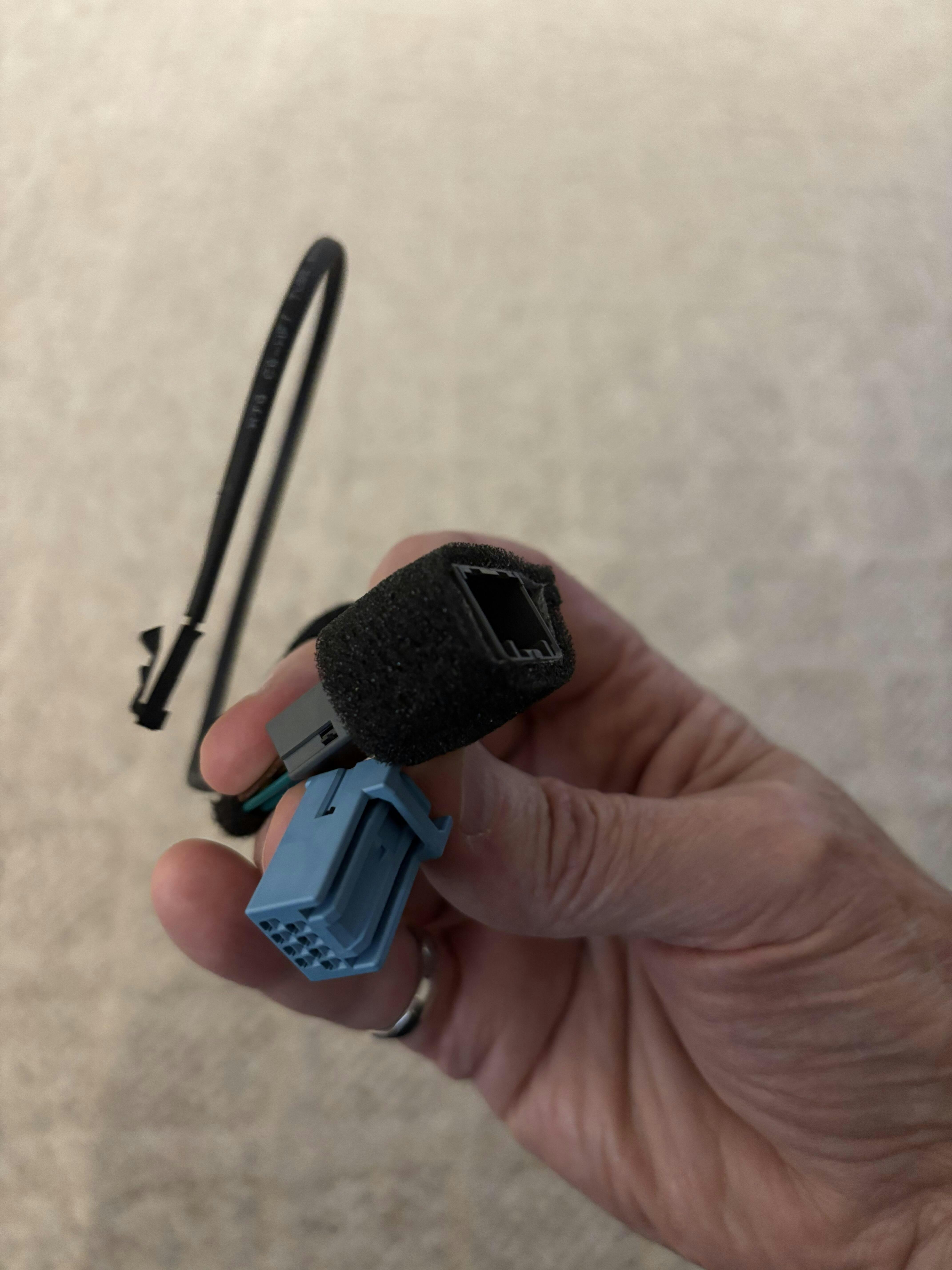
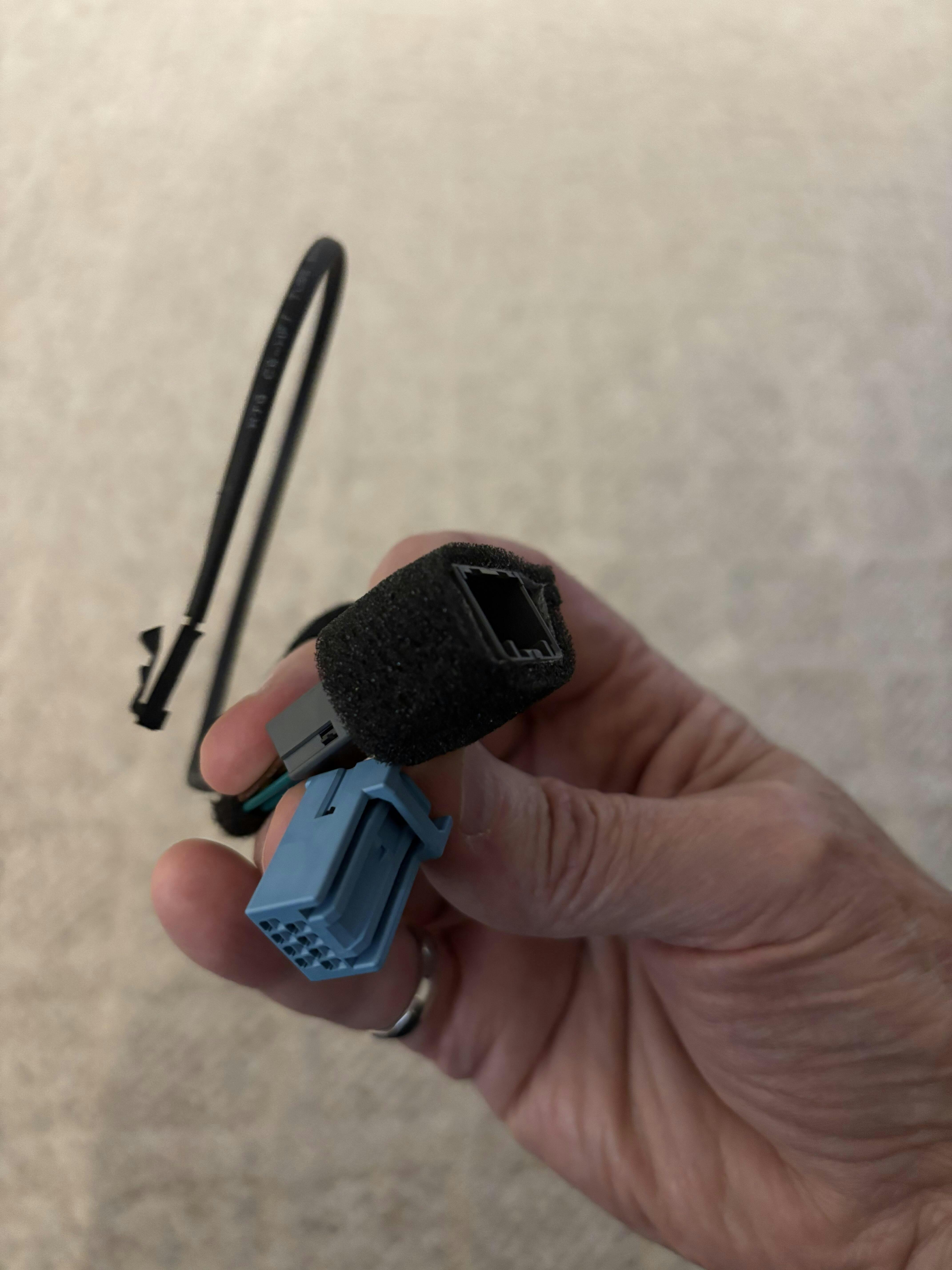
Shows how I looped the Male connector / Female connector/ wire connector to fit it all in under the plastic trim piece.
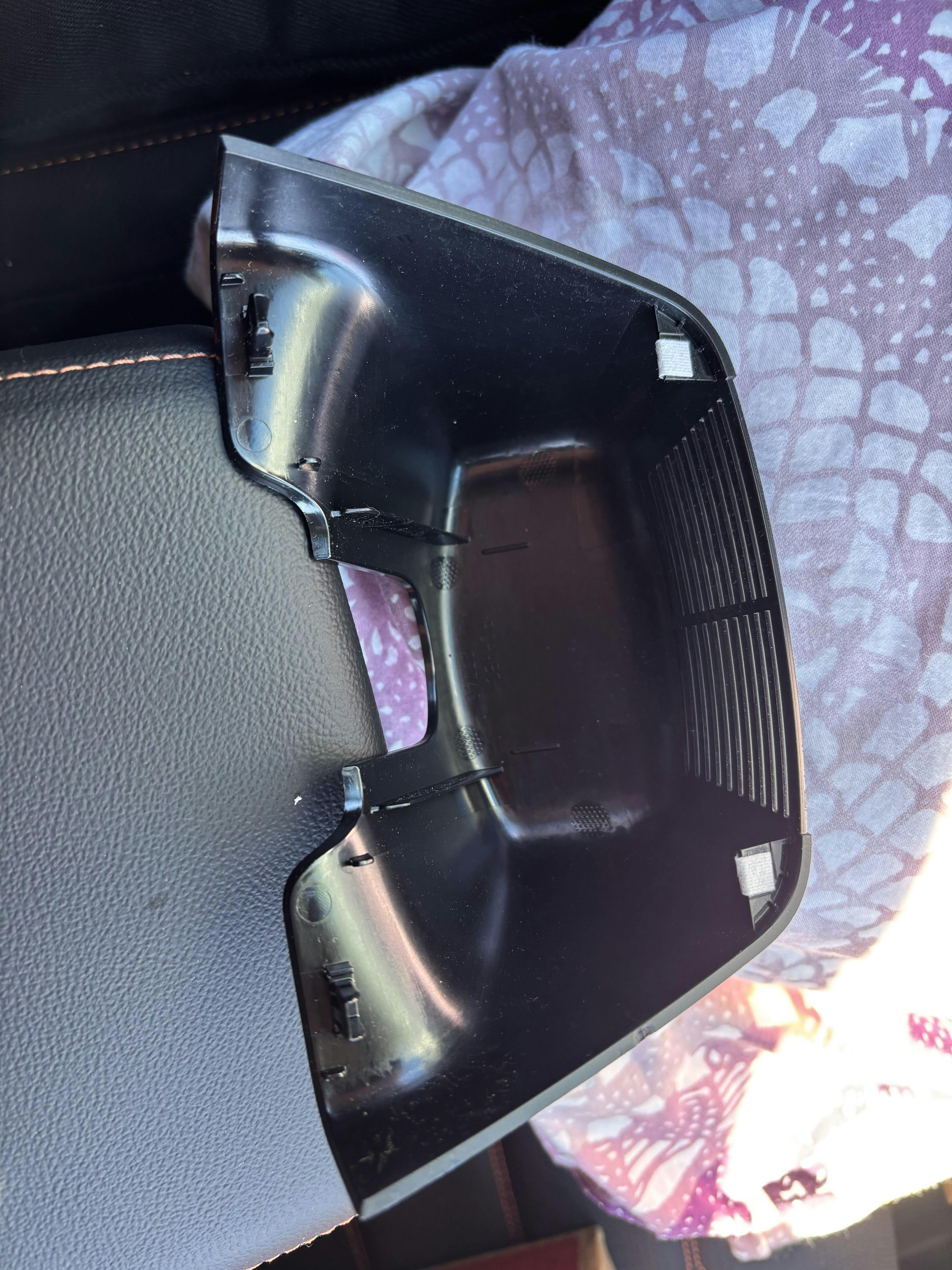
IMG_3
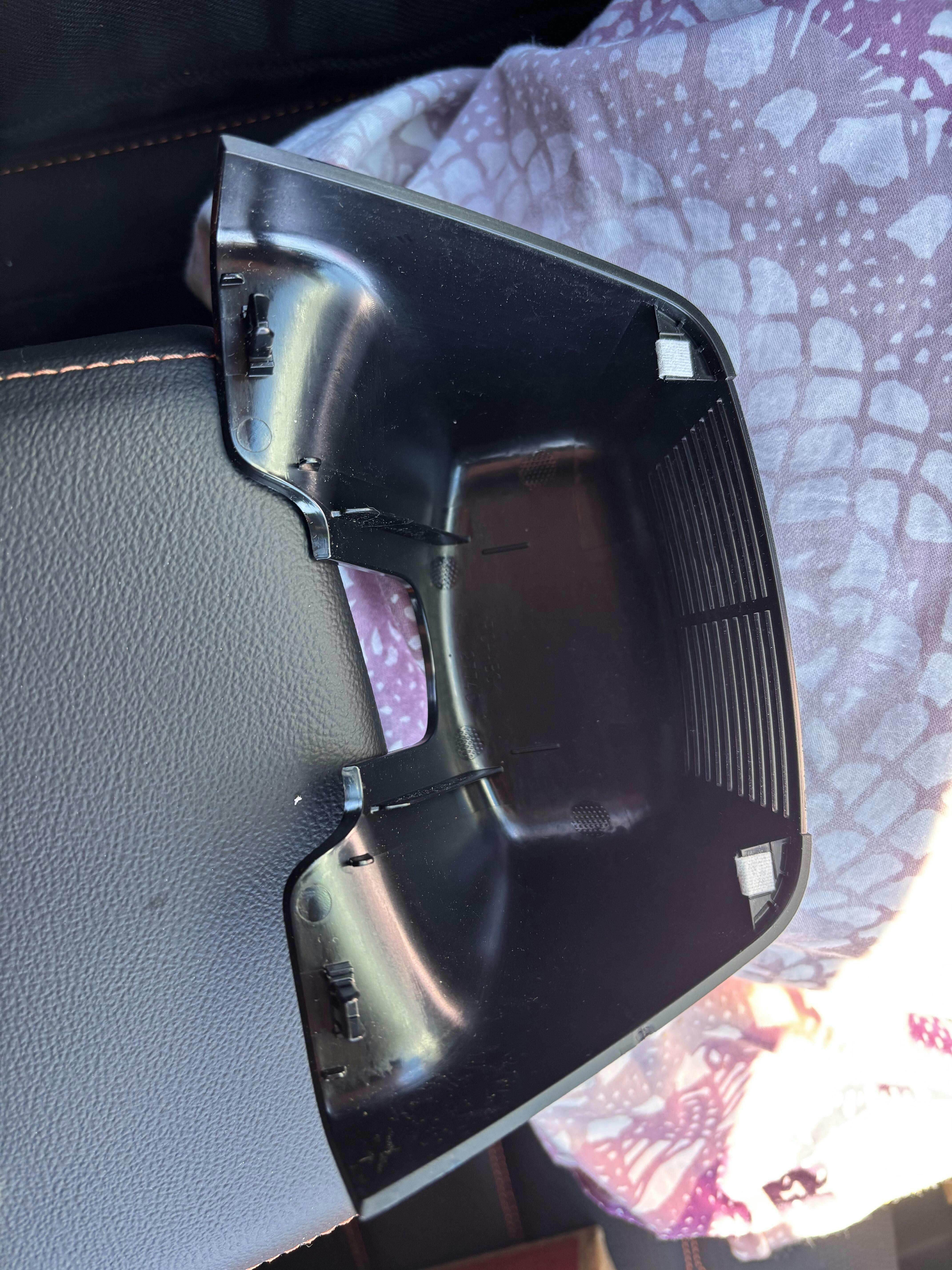
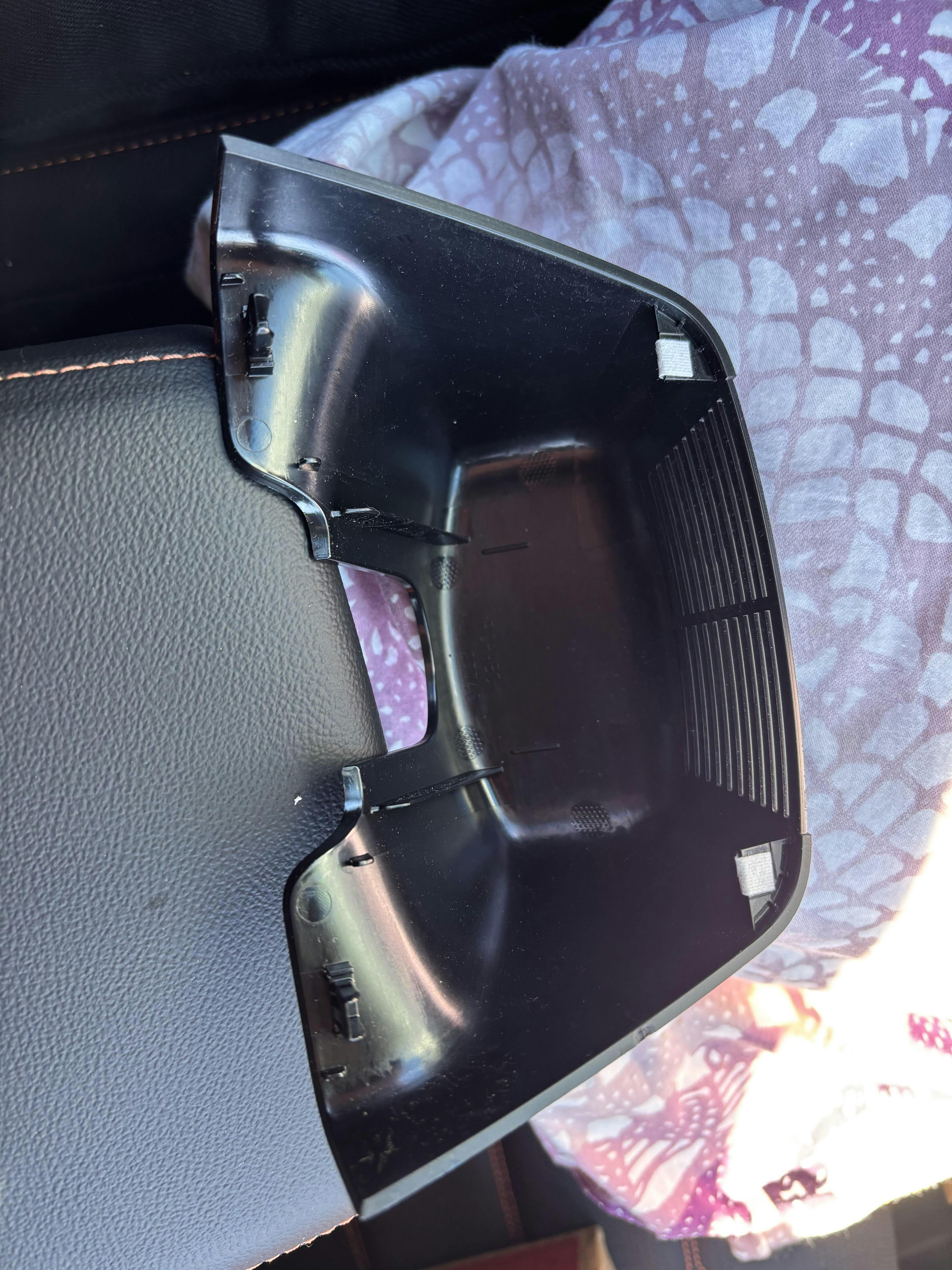
Shows the CRV’s plastic trim piece upside down I removed as per the YouTube . The 2 white clips on the right (point to the front of the CRV) are the clips the YouTuber says you pivot on after you have pulled down on the part on the left. Apply force as close as possible to the black clips (shown on the left of the part). This will be sort of in the middle of the CRV’s camera assembly on the windshield. (Again, I first used the “J” trim tool to start then I used my fingers on both sides to apply a bit more force and to pivot the piece on the white clips. I must say it was a bit scary but nothing broke).
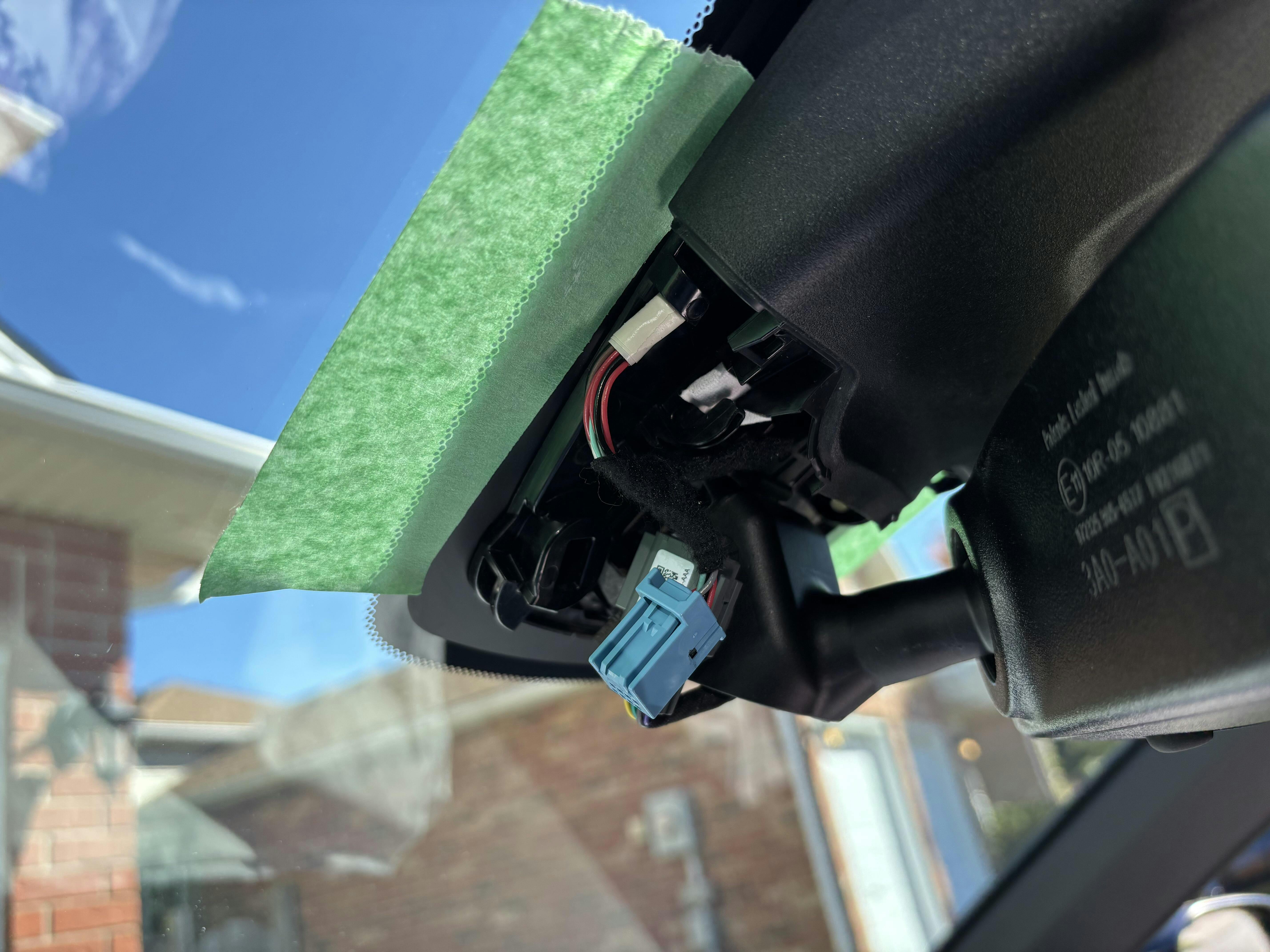
IMG_4
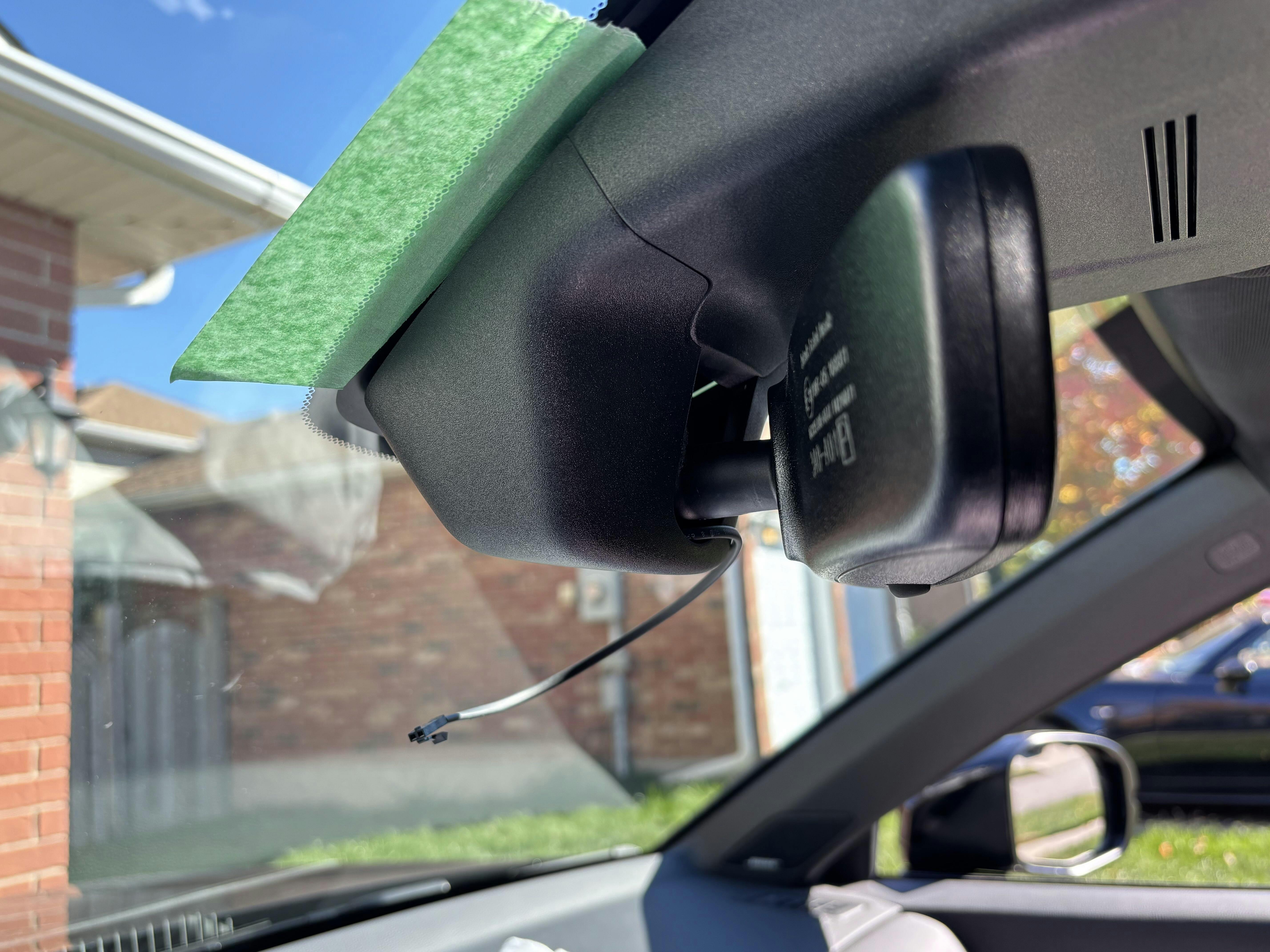
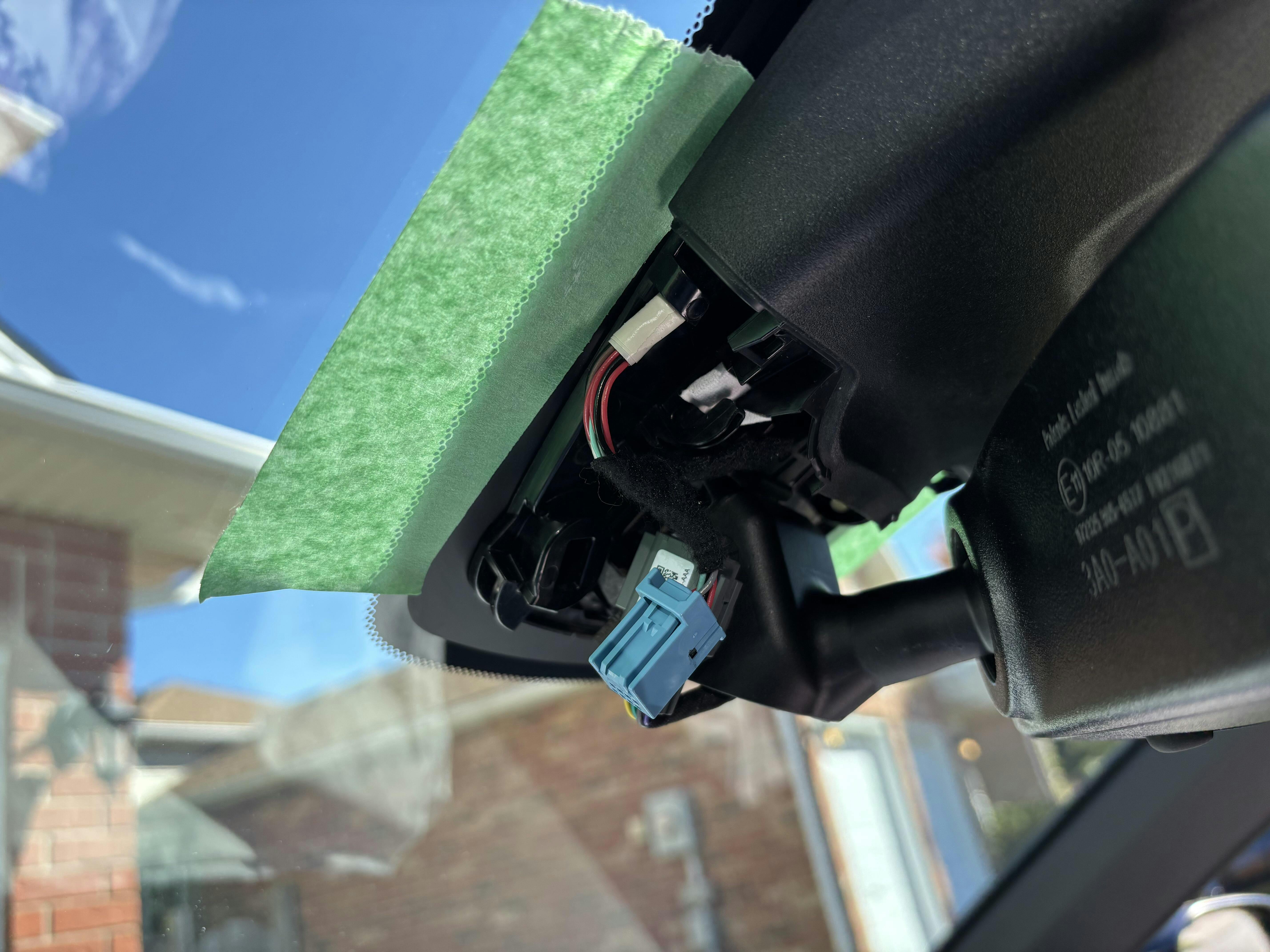
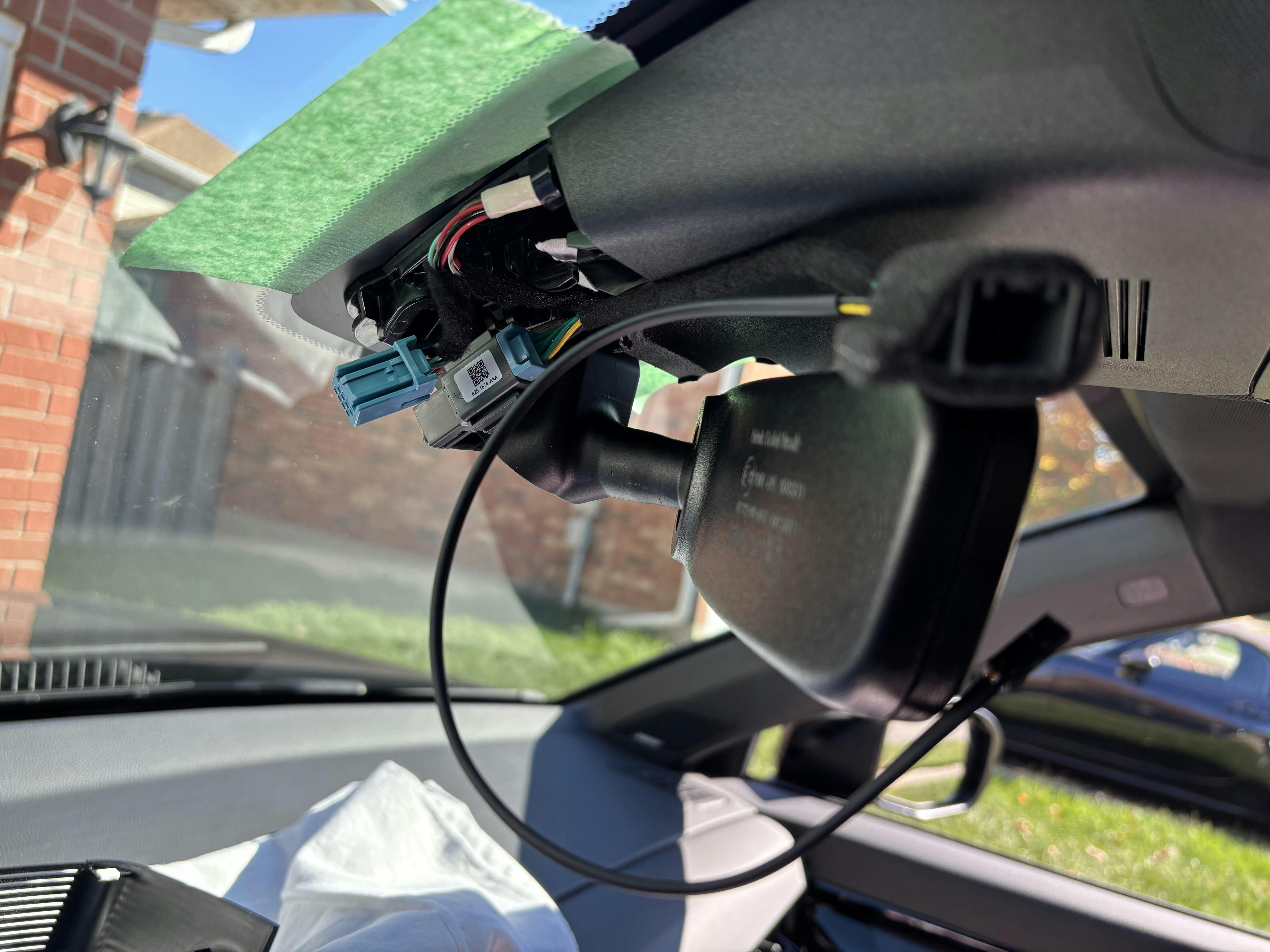
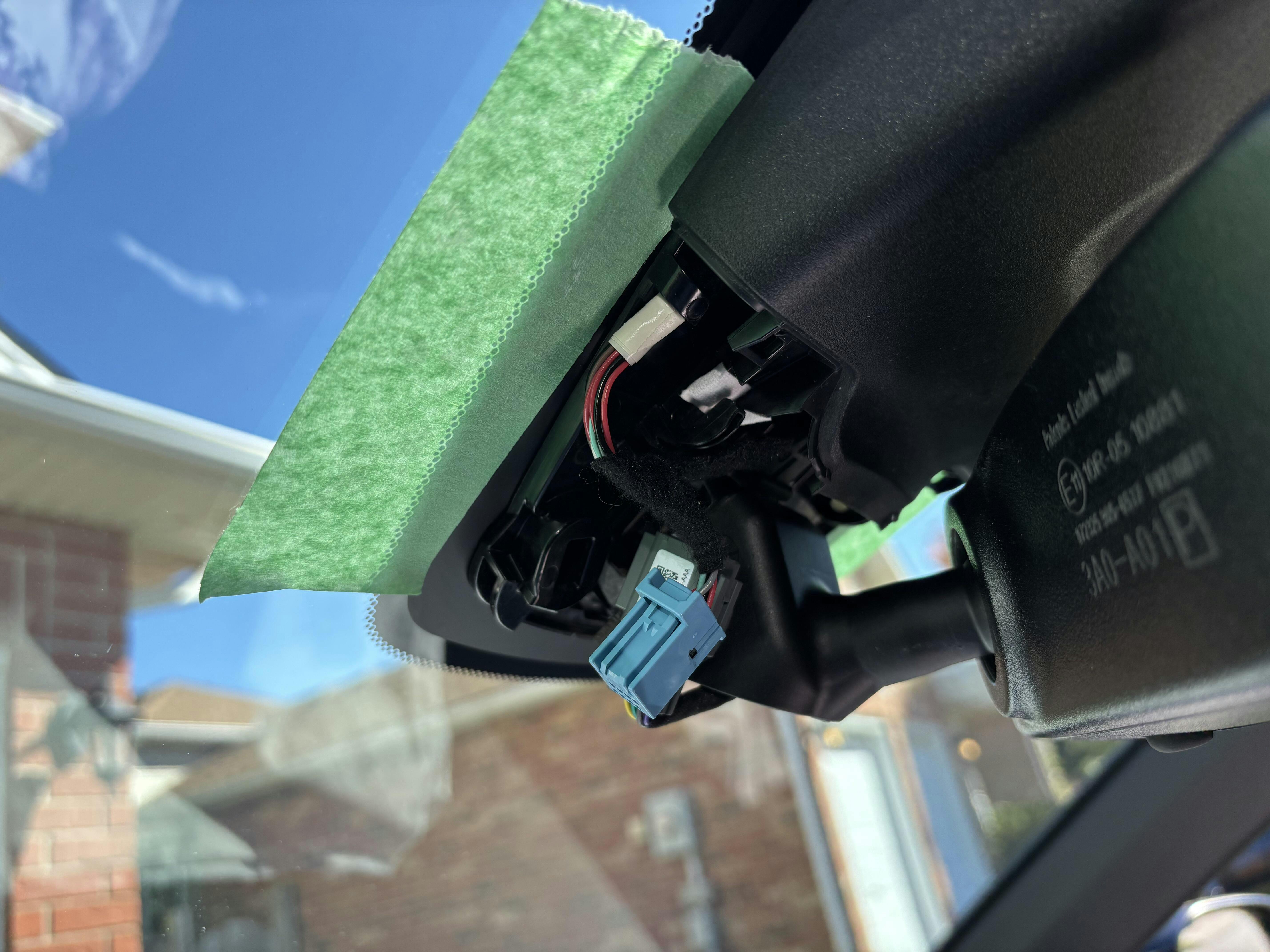
Shows under the plastic trim piece removed in IMG_3. I had disconnected the CRV’s 8 PIN M/F connectors. Notice I taped the windshield for protection.
IMG_5
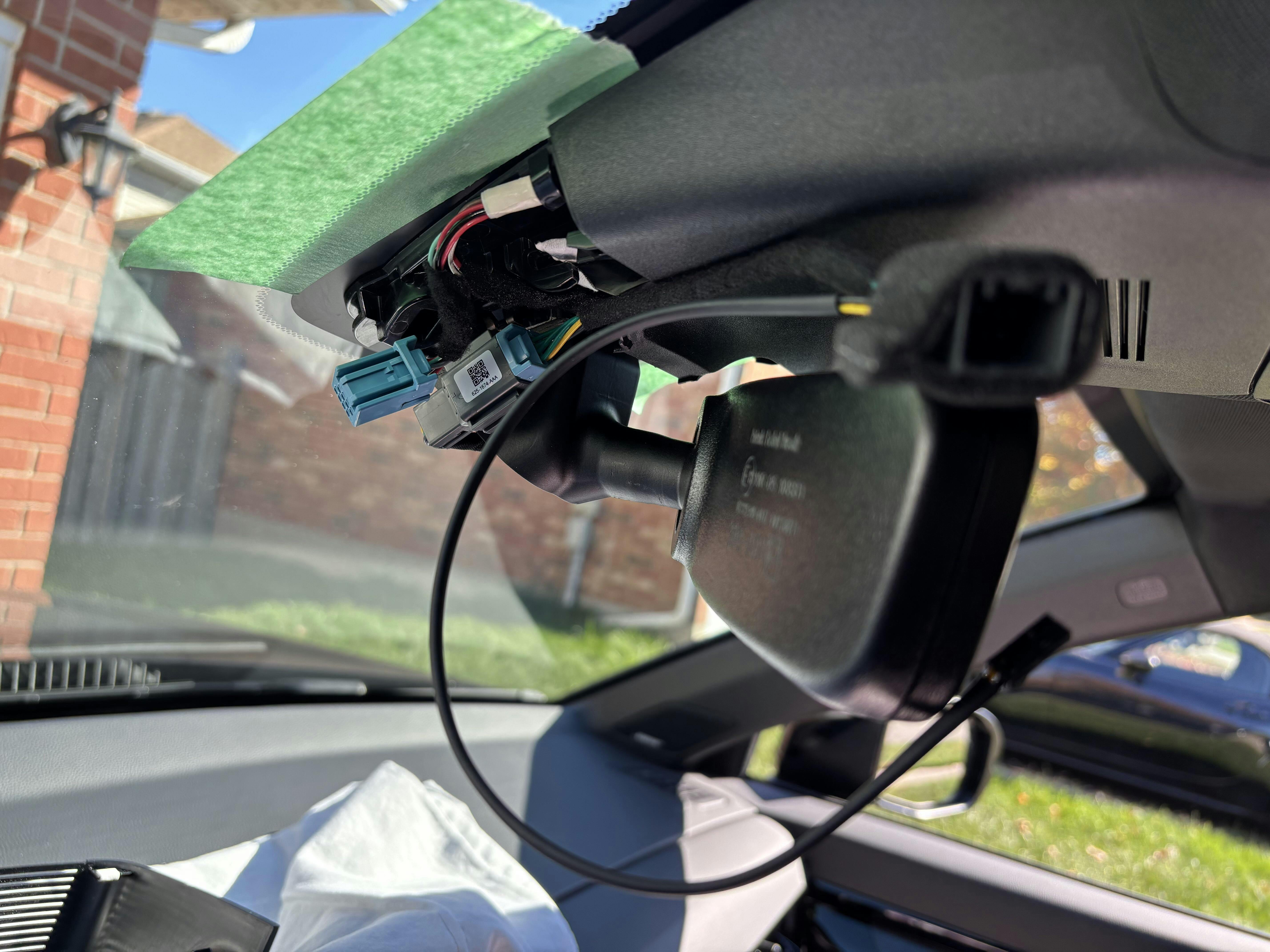
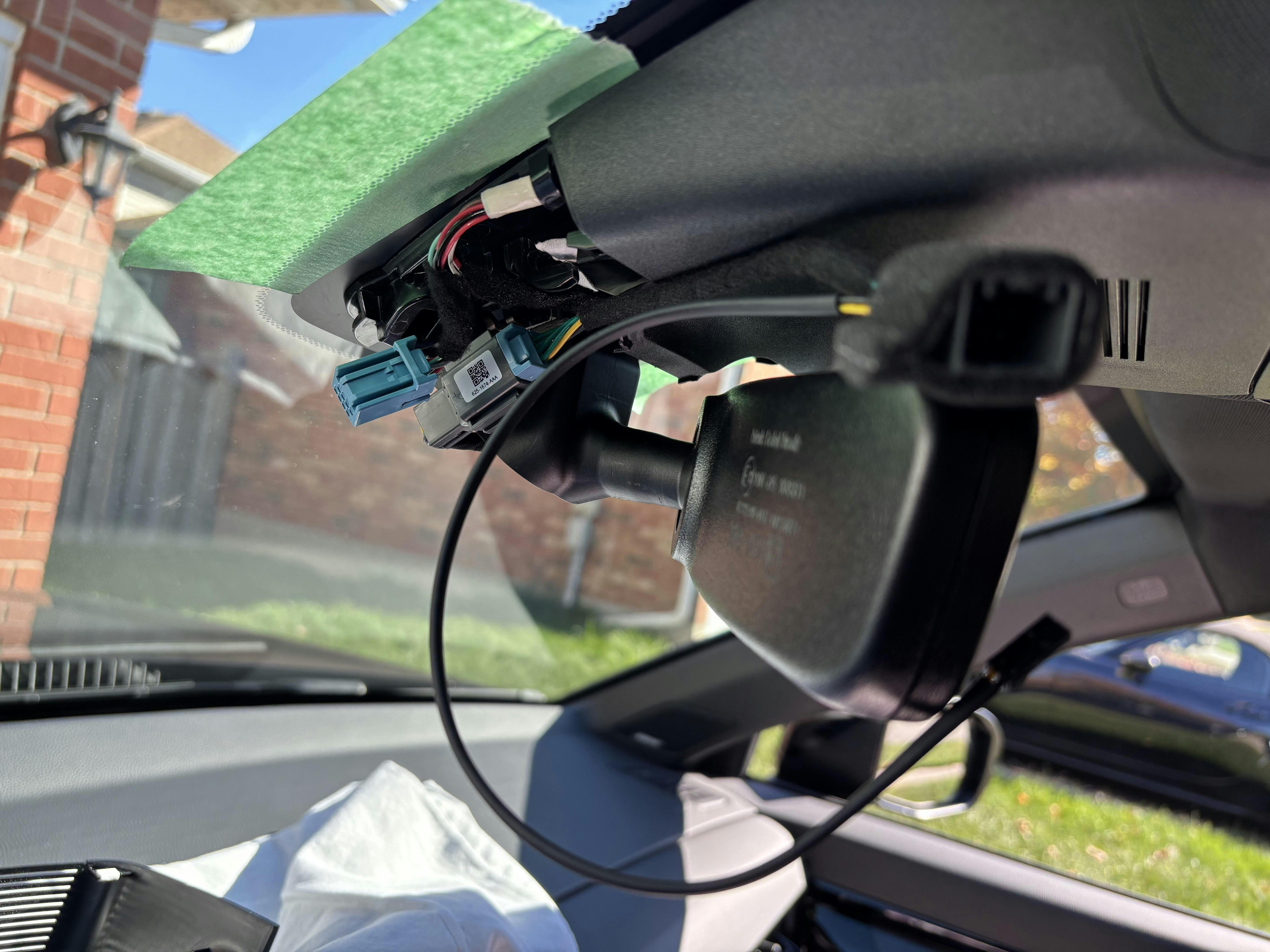
Shows Dongar’s blue 8 PIN Male connector installed into the CRV’s Female connector and the Dongar 8 PIN Female connector closest to the camera. At this point your job is to loop that wire assembly tightly to connect with the CRV’s blue 8 PIN connector shown on the far left in the picture. As you loop the wire you need to fit it into the space under the plastic trim piece you removed in IMG_3. While you are making that loop and trying to fit all that stuff under the plastic trim piece, you need to fish the remaining wire through the opening where the mirror post comes out the plastic trim pieces. See next picture IMG_6.
IMG_6
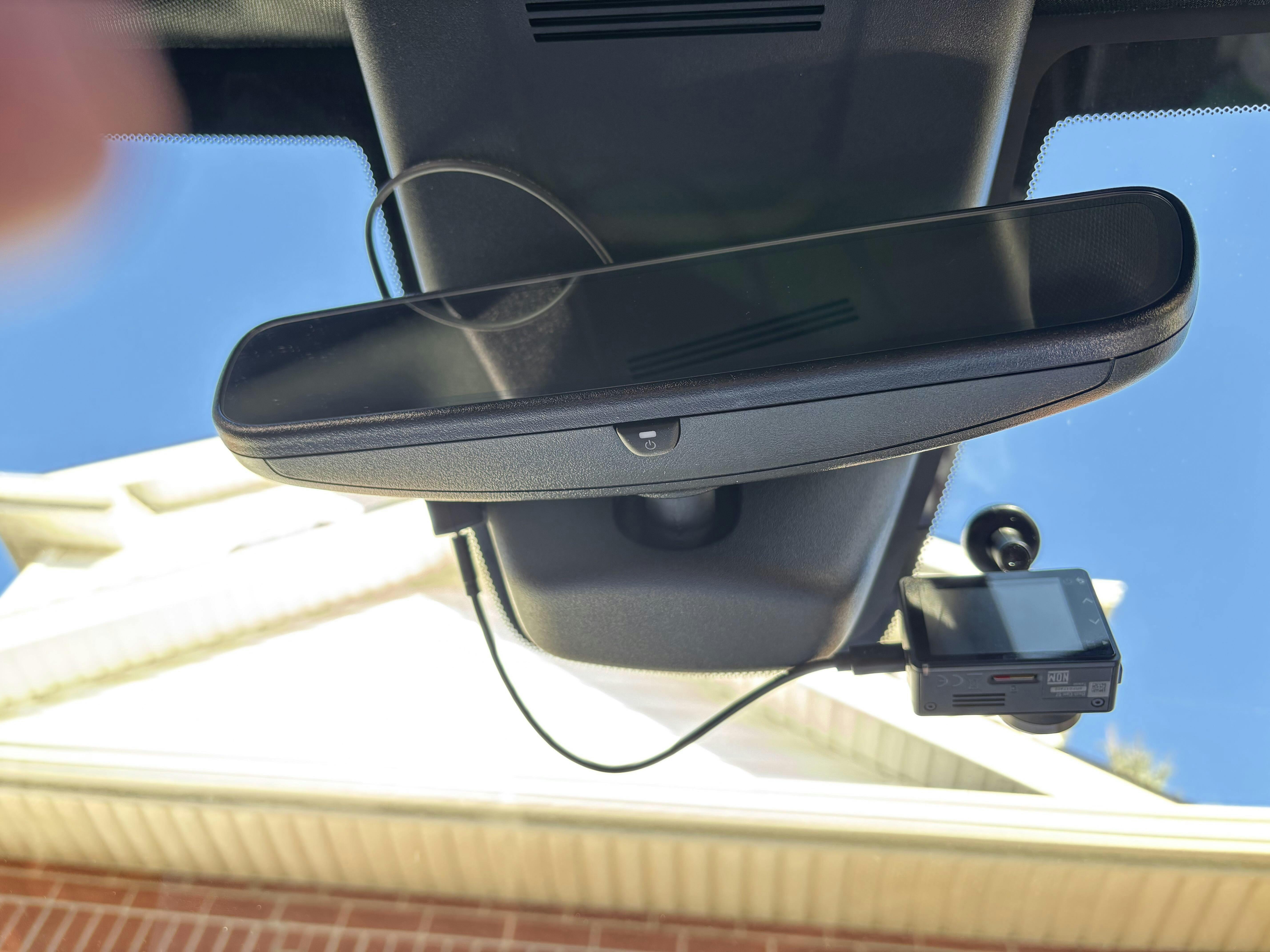
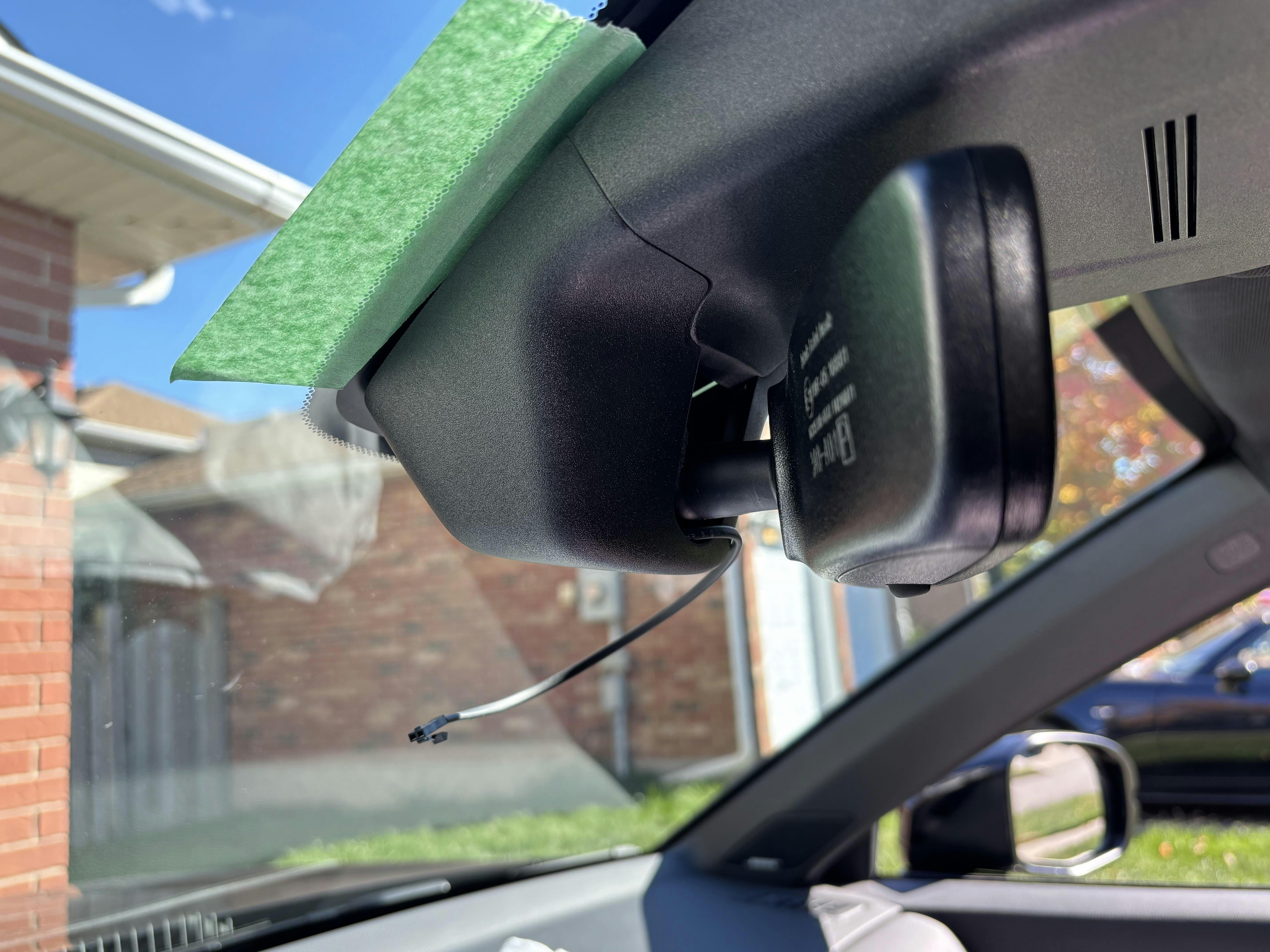
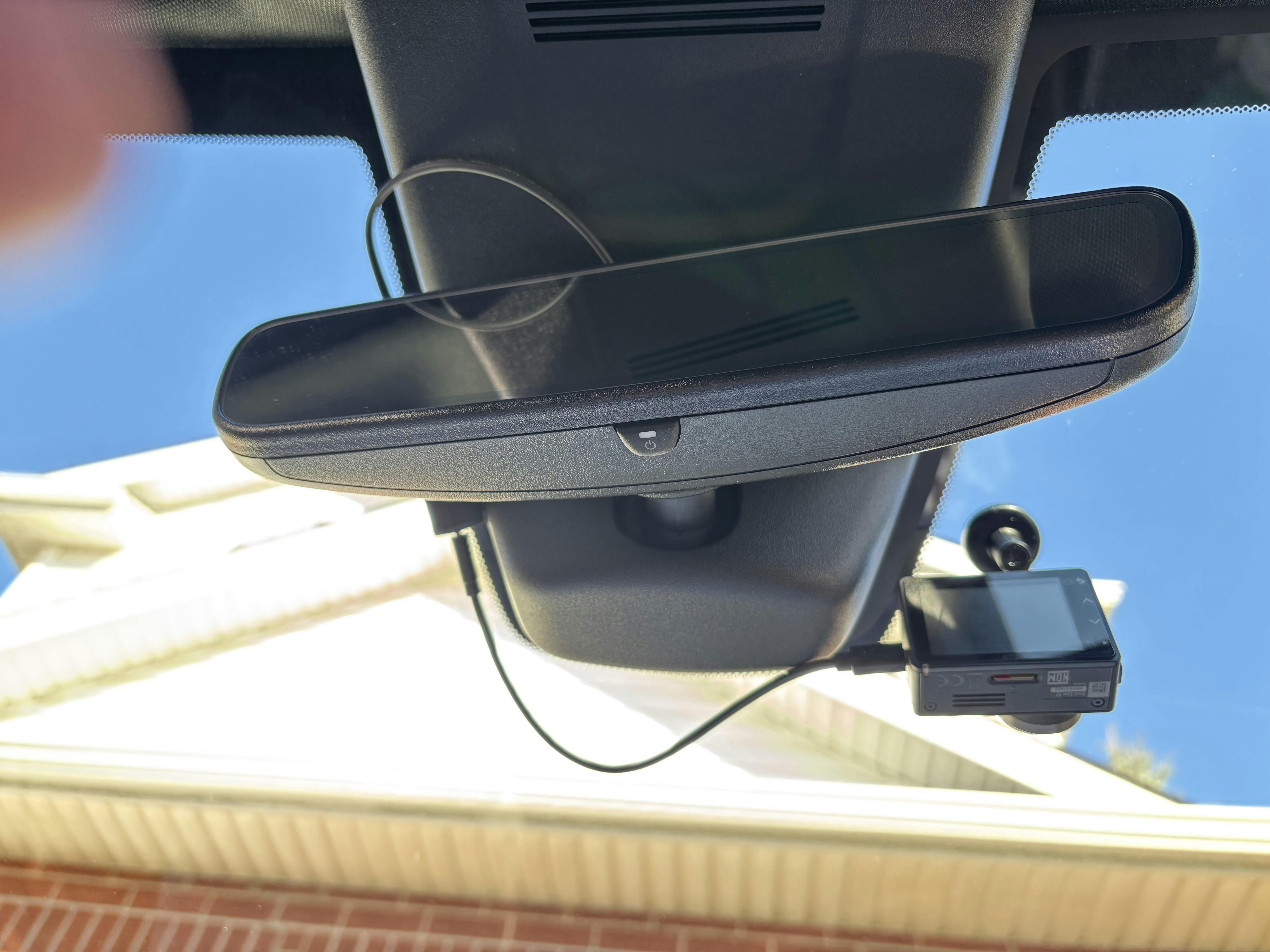
Shows power wire to USB-C Adapter exiting the plastic trim. Just before snapping everything together I would recommend connecting the power to your dash cam to see if it will power it up just to be safe.
IMG_7
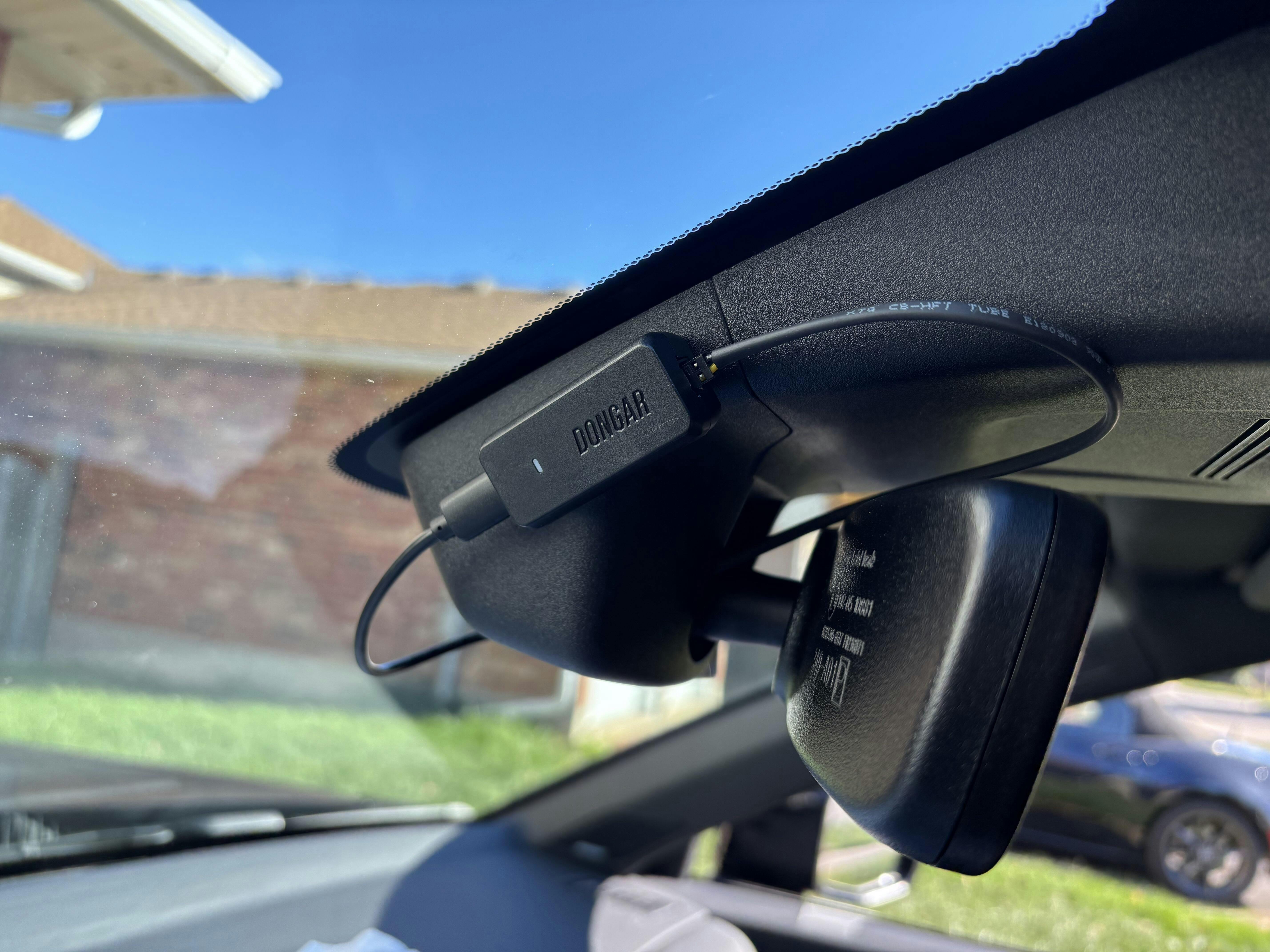
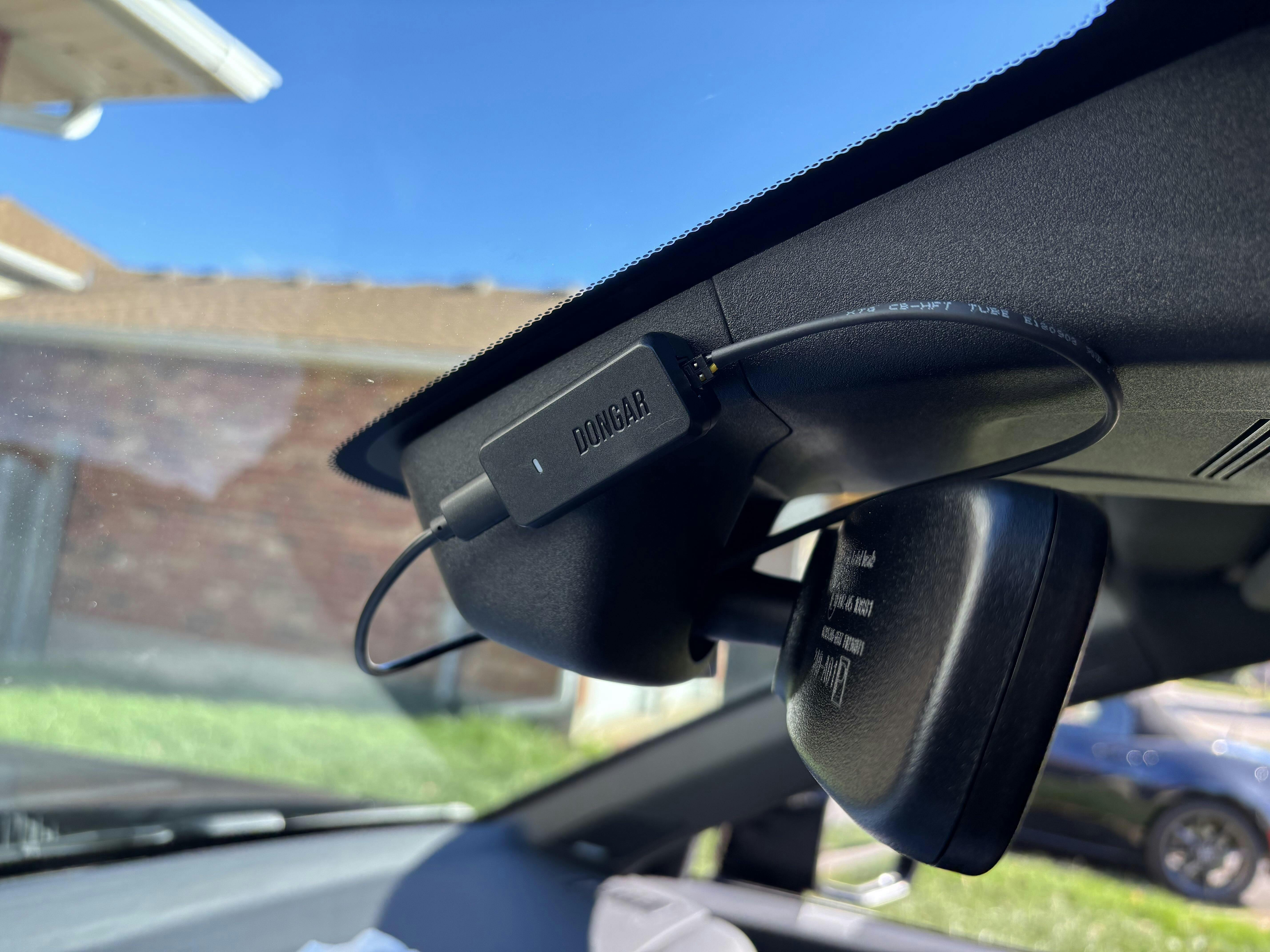
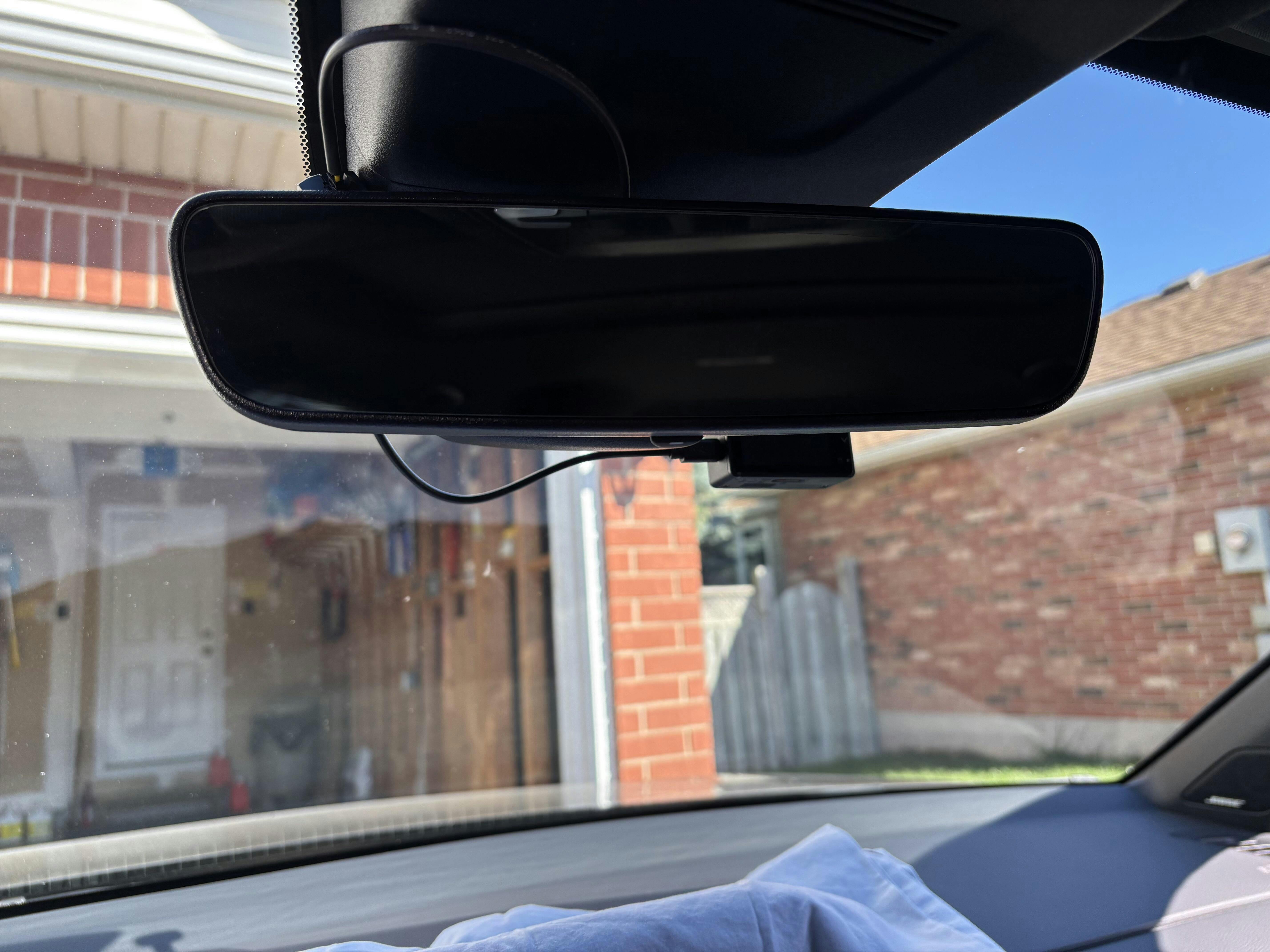
Shows the spot I installed the Dongar USB-C adapter with the supplied 2-way tape.
IMG_8
Underside shot.
IMG_9
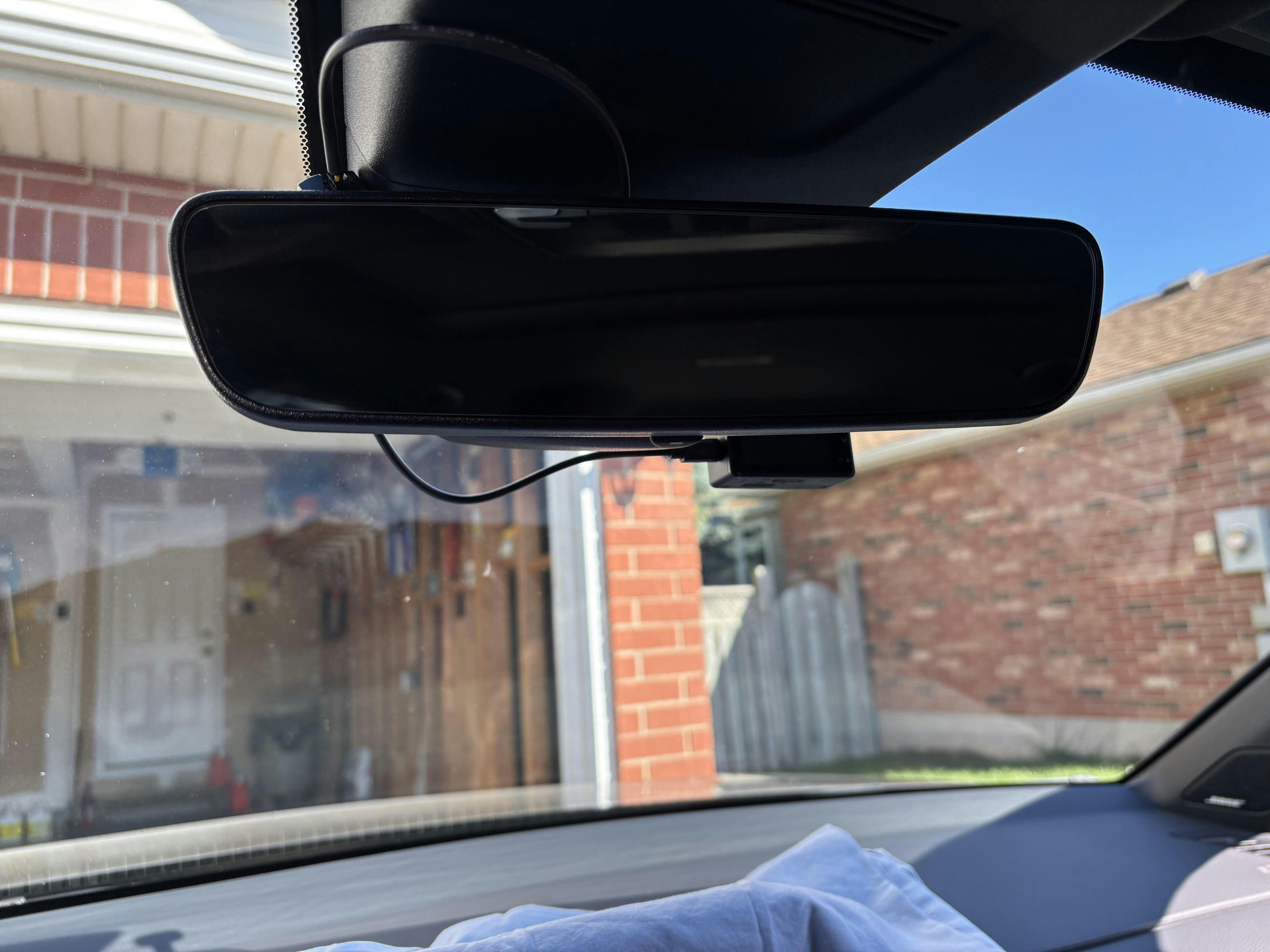
What I see in the driver’s seat.
I hope this helps. Cheers!
Doug
Sent wrong cable not fit my dash cam